


Agoda launches AI Assistant for travel planning across 21 markets
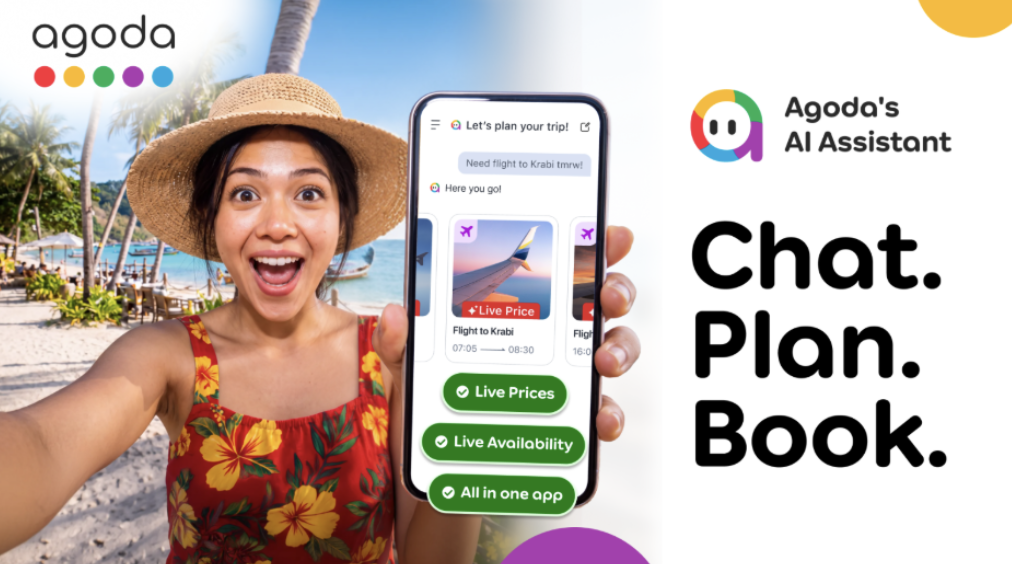
Agoda has rolled out its AI Assistant on the mobile app, letting users plan, compare and book travel directly within the platform. The feature is live now across 21 markets and targets all Agoda app users.
In this story
At a glance
- What changes
- Agoda adds AI Assistant to its mobile app for trip planning and booking
- Timing
- Feature rolls out now across 21 markets
- Who is affected
- Agoda mobile‑app users in the 21 markets
The details
- Announced by
- Agoda
- Previous rule
- Before the launch, Agoda’s platform required users to switch between separate apps, search engines and maps to plan and book trips.
- New rule
- Agoda now offers an AI Assistant inside its mobile app that lets users converse, compare options, check live prices and book hotels, flights and activities without leaving the app.
AI Assistant functionality
The new AI Assistant acts as a conversational travel companion inside the Agoda mobile application. Users can type or speak travel ideas, and the assistant replies with suggestions, price checks, availability and direct booking links. It keeps the trip context, remembers preferences and displays a visual itinerary canvas where planned days, attractions and pending bookings are shown together.
- Explore destinations, hotels, flights and activities through chat
- Check live inventory and prices instantly
- Book selected items without leaving the app
Rollout and market coverage
After a limited beta that began in September, Agoda has opened the AI Assistant to customers in 21 markets worldwide. The expansion makes the feature available to the majority of Agoda’s user base, replacing the earlier test phase that was restricted to a small group of participants.
- Available in 21 markets as of the announcement
- No additional sign‑up required for existing Agoda accounts
Technology and integration
The conversational core runs on OpenAI models, while restaurant and point‑of‑interest data are supplied by Google’s Gemini model combined with Google Maps Grounding. Web search results are also pulled into the chat, giving users up‑to‑date information alongside Agoda’s own inventory. This blend of AI and live data aims to reduce the number of tabs and apps a traveller must juggle.
- OpenAI powers the dialogue engine
- Gemini with Google Maps provides real‑time venue details
- Integrated web search enriches answers with current information
What this means for travellers
Trip planning
- Existing Agoda bookings remain unchanged; the AI Assistant does not modify confirmed reservations
- New trips can be created and completed entirely through the AI chat interface in the mobile app
- Users can view a combined itinerary canvas that shows hotels, flights and attractions together
Cost and documents
- The AI Assistant introduces no extra fees beyond the normal price of selected travel products
- Requirements for passports, visas or travel insurance stay the same as for any Agoda booking
What you need to do
- Open the Agoda mobile app and tap the AI Assistant icon to start a conversation
- Sign in with an existing Agoda account; no separate registration is needed
- Follow the on‑screen prompts to confirm selections and complete payment within the app
Who this affects
-
Agoda mobile‑app users in the 21 markets
The AI Assistant is now live for anyone using the Agoda app in those markets
What to do Access the assistant through the app to plan and book trips
-
Travelers planning multi‑product trips (hotels, flights, attractions)
The assistant can combine different travel products into a single itinerary
What to do Use the chat to assemble and book all components together
-
New Agoda customers who have not yet booked
The AI Assistant is presented as a default feature for first‑time users
What to do Start a conversation in the app to explore destinations and make a first booking
Frequently asked questions
What is Agoda’s AI Assistant?
Agoda’s AI Assistant is a conversational feature inside the mobile app that helps users discover, compare and book travel products using natural‑language chat while showing live inventory and prices.
How do I start using the AI Assistant on Agoda?
Open the Agoda mobile app, sign in, and tap the AI Assistant icon; a chat window opens where you can type travel requests and receive suggestions and booking options.
Which countries can access the AI Assistant?
The assistant has been rolled out to users in 21 markets, though the specific countries are not listed; any user in those markets can use the feature.
Will the AI Assistant add any extra cost to my booking?
No additional fees are charged for using the AI Assistant; you only pay the price of the travel products you choose to book.
Can I still book a trip the traditional way without the AI Assistant?
Yes, the standard search and booking flow remains available in the Agoda app; the AI Assistant is an optional tool that sits alongside existing features.


